

Fujifilm Apeos Review for Malaysian Offices
A multifunction printer can look affordable on a quotation and become expensive once toner usage, downtime, scan bottlenecks, and IT support are included. This Fujifilm Apeos review looks beyond headline speed and features to help Malaysian businesses judge whether an Apeos multifunction device is the right fit for their daily document workload.
For most offices, the question is not simply whether an MFP can print in color or scan to email. The real question is whether it can keep documents moving without creating another cost center for the finance, admin, and IT teams to manage. Fujifilm Apeos devices are designed for that broader office role, combining printing, copying, scanning, security controls, and workflow options in one platform.
Fujifilm Apeos Review: Who Is It Best For?
The Apeos range is a sensible consideration for small and midsize businesses, corporate departments, and shared office environments that need more control than a basic printer can offer. It is particularly relevant where staff regularly scan invoices, contracts, HR documents, purchase orders, or customer files and need those documents delivered to the right location quickly.
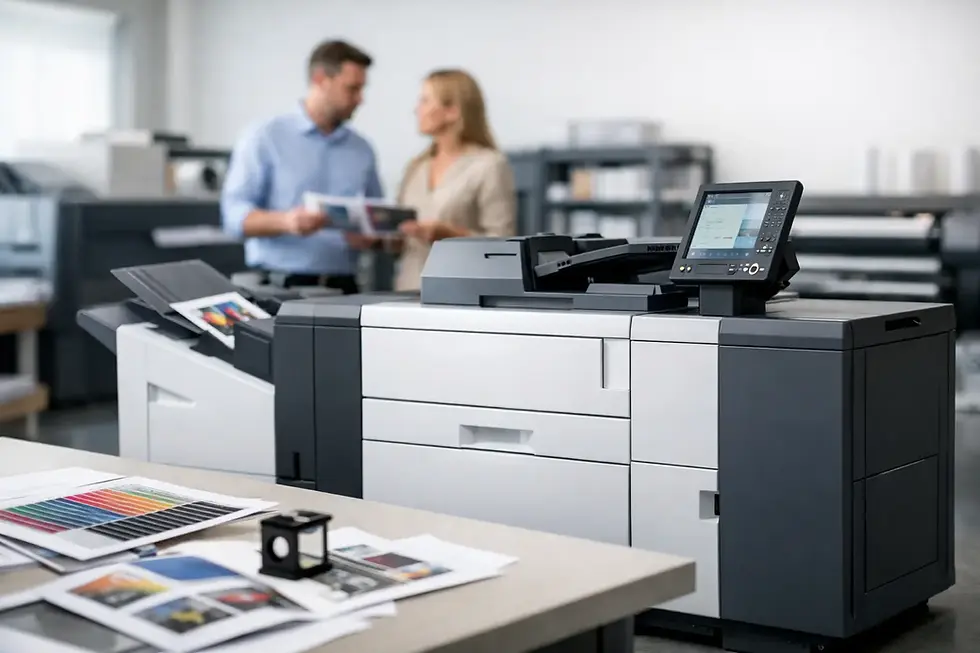
The range covers different print volumes and configurations, so the right answer depends on your actual workload. A compact device may suit a small office with occasional color requirements. A larger floor-standing model may be better for busy departments that have several users, frequent copying, and monthly print volumes that would overwhelm a smaller machine.
Apeos is not automatically the lowest-cost option for every business. If your team only prints a few pages each day and rarely scans, a simpler desktop printer may be more economical. But when printing is shared across a team and documents are part of daily operations, the combination of device management, security, and scan workflow capability can justify a business-grade MFP.
Print Quality and Everyday Usability
Fujifilm Apeos devices generally target professional office output rather than high-end commercial print production. For proposals, sales materials, training packs, internal reports, presentation handouts, and client correspondence, color output is typically more than suitable. Text is sharp, graphics are clear, and consistent output matters when documents represent your business externally.
For high-volume marketing collateral, specialty media, or color-critical creative work, a production print solution may be a better match. That is an important distinction. An office MFP is built to support everyday teams reliably, not replace a dedicated print-room press.
The touchscreen interface is a practical strength when configured properly. Staff should be able to select common jobs, such as scan to email, scan to a shared folder, or copy an ID document, without needing help each time. However, ease of use depends heavily on setup. A device with every available feature exposed can confuse users. A device configured around the workflows your staff actually use can save minutes on every document task.
That is why the assessment stage matters. Before selecting an Apeos model, identify who prints, what they print, the paper sizes they need, and where scanned documents must go. The answers affect tray configuration, finishing options, scan settings, and access controls.
Scanning Is Often the Bigger Productivity Gain
Many organizations focus on pages per minute, but scanning can produce the larger operational improvement. A well-configured Apeos device can turn paper documents into usable digital records at the point where work happens.
For example, an accounts team can scan supplier invoices to a designated folder or document-management system. An HR department can digitize employee forms under controlled access. Sales staff can scan signed documents and send them to the correct team without waiting to return to their desk. These are small process improvements individually, but they reduce filing delays, misplaced paperwork, and repeated data entry.
The trade-off is that scan workflows require planning. Scanning everything to one shared email inbox creates a new bottleneck. Sending confidential documents to open network folders creates a security concern. The best setup uses clear destinations, sensible naming rules, and user permissions that reflect how each department works.
Organizations with cloud storage or document-management platforms should also confirm compatibility and integration requirements before committing. The device is only one part of the workflow. Network settings, authentication, retention rules, and employee habits determine whether digital capture genuinely improves efficiency.
Security and Control for Shared Devices
A multifunction device is a network-connected endpoint that handles business information. That makes security more than an optional feature, especially for organizations processing customer records, payroll documents, contracts, financial data, or internal reports.
Depending on the Apeos model and configuration, businesses can apply measures such as user authentication, secure print release, access restrictions, audit trails, and controlled scan destinations. Secure print is especially useful in shared offices. Instead of leaving a confidential document unattended in the output tray, the user releases it only after arriving at the device.
These controls also support accountability. Finance managers and IT teams can gain clearer visibility into who is printing, which departments generate the most volume, and where unnecessary color printing may be increasing costs. The goal should not be to make printing difficult. It should be to give staff convenient access while keeping sensitive information and expenditure under control.
Security features must be actively configured and reviewed. A capable device cannot protect documents if every employee uses a generic login or if default settings remain unchanged. Businesses should include the MFP in their wider IT and information-handling policy, not treat it as a standalone appliance.
Total Cost Matters More Than Purchase Price
The strongest way to evaluate any Fujifilm Apeos device is through total cost of ownership. The purchase price or monthly rental is only one part of the financial picture. Consumables, service response, preventive maintenance, downtime, paper usage, energy use, and administrative effort all affect the true cost over the life of the agreement.
A lower-priced machine can become costly if it needs frequent attention, creates printing delays, or has no clear method for monitoring toner and meter usage. Conversely, a higher-capacity MFP may be better value when it consolidates several aging desktop printers, reduces consumable types, and provides predictable per-page billing.
For budget-conscious businesses, rental and pay-per-click structures can be more practical than tying up capital in an outright purchase. They allow the organization to match costs more closely to usage while gaining access to current equipment and maintenance support. The exact model should be sized carefully, though. Paying for capacity your office will never use is just as wasteful as buying a device that is too small.
Ask for a usage review based on real print data where possible. Monthly volume, color-to-mono ratio, peak periods, paper sizes, finishing needs, and scan requirements provide a much clearer basis for selection than an estimate based on staff headcount alone.
Service Support Can Decide the Experience
Even the right device will eventually need toner, maintenance, firmware attention, or engineering support. For a busy office, the quality of local service can matter as much as the brand printed on the front panel.
A dependable provider should explain how faults are reported, how consumables are monitored, what is included in the service arrangement, and what happens if a device is unavailable. It should also help your team configure the machine for practical use instead of delivering it with generic settings and leaving staff to figure it out.
For Klang Valley organizations, local on-site support can reduce the disruption caused by a device issue. Canex Imaging Solutions can assess the document environment, recommend an appropriately sized Fujifilm Apeos configuration, and support flexible rental, managed print, and proof-of-concept options for businesses that want evidence before making a longer commitment.
When an Apeos Device May Not Be the Right Choice
A balanced review should recognize that no platform suits every situation. If you need very high monthly volumes, advanced inline finishing, specialized media handling, or demanding production color output, evaluate production equipment rather than relying on a standard office MFP.
Likewise, a very small team with light printing needs may not need the administration and capability of a larger Apeos device. In that case, selecting a simpler printer and maintaining a clear replacement plan may be the more sensible decision.
The right choice depends on the role documents play in your operation. If paper-heavy processes are slowing approvals, storage, customer service, or billing, an Apeos MFP can be a useful step toward a more controlled document workflow. If printing is occasional and noncritical, keep the solution proportionate to the need.
Before deciding, ask for a no-obligation assessment that measures your real usage and maps the tasks staff perform around the device. A machine should fit the way your office works today while leaving enough room for the next stage of growth.


Comments